TL;DR
Google Forms, spreadsheets, and email can handle warranty claims at low volume, but they become difficult to manage as products, sales channels, and claim volume grow.
A scalable process needs structured intake, automated routing, clear claim stages, centralized communication, and connected cost and defect reporting.
Helpdesks can organize conversations, but they are not built for warranty-specific workflows such as serial validation, coverage checks, replacements, repairs, and product-level analytics.
For consumer product brands selling across ecommerce, retail, and marketplaces, Dyrect is one of the strongest options for managing the full warranty lifecycle in one place, from product registration and claims intake to resolution, customer updates, and analytics
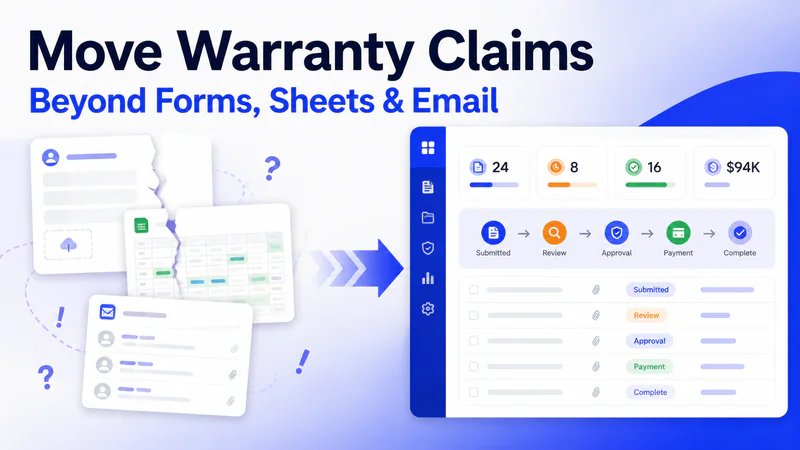
Warranty claims often start with a simple setup: a Google Form for intake, a spreadsheet for tracking, and email for customer communication. That works at low volume, but as claims increase, the same setup creates delays, missing information, unclear ownership, and reporting gaps.
The real problem is not the individual tools. It is that they do not function as one structured claims process, so teams spend time chasing details, switching between systems, and figuring out what needs to happen next.
This guide explains how to replace that fragmented workflow with structured intake, automated routing, clear claim stages, connected cost tracking, and reusable customer communication. It also compares three practical paths forward: building your own system, adapting a helpdesk, or using a dedicated warranty platform.
The Real Cost of a Fully Manual Claims Process

Here is what actually happens when a warranty claim comes through a Google Form.
The customer fills out the form. Product name, issue description, maybe a photo. The response lands in a Google Sheet. Someone on the support team opens the sheet, sees the new row, and realizes the serial number is missing. They email the customer.
Two days pass. The customer replies with the serial number but forgets the proof of purchase. The agent emails again. Another day. The customer sends a screenshot of an Amazon order.
Now the agent opens Shopify to verify the purchase date and warranty period. They check if the product is still covered. It is. They log this in the spreadsheet and email the team lead for approval on a replacement. The team lead is in meetings all day and approves the next morning.
The agent emails the customer to confirm. Creates a replacement order in Shopify. Logs the cost in a separate finance spreadsheet. Marks the claim as "resolved" in the original Google Sheet.
Total elapsed time: 5 to 10 days. People involved: 3 to 4. Actual decision-making time: about 20 minutes.
Multiply this across your monthly claim volume and the numbers start to hurt.
At 100 claims a month with 30 minutes of agent time per claim, you are spending 50 hours a month just processing warranty claims. That is essentially one full-time hire whose entire job is chasing information, copying data between tools, and waiting for approvals.
At $35 per claim, 100 monthly claims cost $3,500 in processing alone, roughly $42,000 a year, before you even count the cost of replacements, repairs, or shipping.
And then there is the risk nobody talks about: institutional knowledge. The process usually lives in one person's head. They know which products need serial validation, which channels require proof of purchase, who to loop in for high-value claims, and which spreadsheet column tracks what. When that person is on leave or quits, the entire warranty operation slows to a crawl while someone else tries to reverse-engineer a process that was never documented.
Where Resolution Time Actually Gets Lost

If your team is working harder but claims are still taking longer to resolve, the problem is almost certainly the number of handoffs and the lack of visibility, not the effort.
A typical manual claim touches five different tools before it closes.
Google Form (intake) → Email (follow-up for missing info) → Google Sheet (tracking) → Shopify or ecommerce backend (order verification and replacement) → Finance spreadsheet (cost logging)
Every jump between tools is a place where a claim can stall. And there are four specific points where the delay compounds.
1. Incomplete intake eats the first 3 to 5 days.
When customers fill out a generic Google Form, they submit whatever feels right. Missing serial numbers, missing proof of purchase, vague issue descriptions like "it stopped working." The agent then spends two to three email exchanges just gathering the information they need before they can evaluate the claim. Fixing intake alone, making the right fields required, adding validation, collecting photos upfront, accounts for 30 to 40% of total cycle time reduction.
2. Handoffs between disconnected tools create invisible queues.
Customer service handles the conversation. Someone else verifies the warranty. Someone else processes the replacement. Finance tracks the cost. Each team works from a different tool or inbox, and cases stall between them because there is no shared view of what has happened and what needs to happen next.
3. Generic statuses tell nobody anything.
A claim marked "In Progress" in your spreadsheet could mean the agent is waiting for customer photos, the team lead has yet to approve, the replacement has shipped, or the claim has been sitting untouched for three days. Without stage-level visibility, managers cannot identify bottlenecks and customers have zero idea what is happening.
4. Every claim starts from zero.
Without structured intake that auto-validates serial numbers and warranty periods at submission, the agent has to manually look up purchase history, calculate warranty expiration, coordinate with the warehouse, and generate shipping labels. Each of these steps requires switching to a different tool and often waiting for someone else.
The instinct when things slow down is to hire more people. But adding agents to a broken process creates a larger backlog with the same friction points. Fix the workflow first. Then decide if you need more headcount.
A structured claims process has clear SLA targets at each stage: acknowledgment within one hour, warranty validation within two to four hours, decision within 24 hours for routine claims, and resolution (replacement shipped or repair scheduled) within 48 hours of approval. When you break the lifecycle into stages and measure each one, you can see exactly where claims are getting stuck instead of guessing.
How to Set Up Claims Triage When Every Product Needs Different Handling

Electronics are different from apparel. A warranty claim on a beard trimmer needs serial number validation, purchase channel verification, and close-up defect photos. A claim on a baby product flagged as a safety concern needs to skip the queue entirely and land in front of a senior agent immediately.
Google Forms treats all of these the same way. One form, one spreadsheet, one inbox. There is no way to route a high-value electronics claim differently from a $15 accessory return, and there is no way to auto-approve straightforward cases while flagging the ones that need human review.
Here is how conditional routing works in a structured system.
Route by claim value:
You can think of this as three lanes. Low-value claims (say, under $30) where the customer provides an order number and a photo can be auto-approved for replacement with zero agent involvement. Mid-value claims ($30 to $150) get auto-approved if the photo confirms a defect and the warranty is valid, but an agent reviews within 24 hours as a quality check. High-value claims (above $150) route directly to a senior agent with the full claim context and a system-generated recommendation.
Route by product type:
Electronics claims require serial number, proof of purchase, and defect photos, and they route to a technical support queue. Apparel claims require order number and issue type (sizing, defect, or damage) and route to general support. Products in certain categories, like baby gear, outdoor equipment with safety implications, or anything involving potential electrical faults, get a priority flag and skip ahead regardless of value.
Route by customer history:
A first-time claim from a repeat customer with clean purchase history gets higher auto-approval confidence. A third claim within 60 days from the same customer gets flagged for review regardless of value. This kind of pattern-based routing is impossible in a spreadsheet and extremely difficult to manage manually, but straightforward to configure in a rules-based system.
What a properly structured claim form should collect at submission:
The whole point is to get enough information upfront so the claim can be evaluated without a single follow-up email. At minimum, this means customer contact info, product name and model number, serial number, date and place of purchase, sales channel (online, retail, or marketplace), description of the issue with enough specificity to categorize it, photos or video of the defect, proof of purchase upload, and the customer's preferred resolution (repair, replacement, or refund).
When these fields are required at submission and validated in real time (for example, the serial number is checked against your product database before the form even submits), claims arrive complete. The agent can start evaluating immediately instead of spending three days collecting missing pieces over email.
A practical rollout sequence that works well:
Start by fixing the intake form in weeks one and two. Make required fields truly required, add real-time validation on serial numbers, and make photo upload mandatory for defect claims. In weeks three and four, add basic routing rules by claim value and product type. You can refine later, so keep it simple at first.
In weeks five through eight, turn on auto-adjudication for the simplest cases. Start conservative with low-value claims that match clean criteria, watch the results for two weeks, then gradually expand the thresholds. By month three, use your cycle time data to find the remaining bottlenecks and keep tuning.
Teams that follow this kind of phased approach typically see a 40 to 60% reduction in average cycle time within the first 90 days, with compounding gains after that as the automation rules get refined with real data.
How to Connect Claims Data to Resolution Costs in One Reporting Layer

The Google Form captures the claim. Shopify processes the replacement. The finance team tracks costs in a separate spreadsheet. And once a quarter, someone has to stitch all three together to answer basic questions like "what did warranty claims cost us this quarter?" or "which product has the highest claim rate?"
That stitching process usually takes days. And the answers it produces are approximate at best, because the data was entered by different people, at different times, in different formats, with different levels of completeness.
Here is what breaks when claim data and cost data live in separate tools.
You cannot identify which SKUs fail the most because the Google Form captures product name as free text ("bluetooth speaker" vs "BT Speaker v2" vs "speaker") and there is no standardized product identifier linking the claim to your catalog.
You cannot calculate the true cost of warranty per product category because the finance spreadsheet tracks total replacement cost but has no link back to which specific claims triggered those costs.
You cannot hold suppliers accountable because there is no structured defect data connecting a pattern of failures to a specific manufacturing batch or component supplier. And you miss supplier chargeback opportunities entirely, because claims get closed without the documentation needed to recover costs from the responsible supplier.
For consumer product companies, warranty costs typically represent 1 to 3% of revenue. Above 5% signals a significant quality or process problem. And yet, without unified data, you cannot even measure this number accurately.
Here's what unified claims-to-cost tracking actually looks like:
Every claim carries cost data from the moment it is created to the moment it closes. The claim is linked to a specific product (by SKU or serial number), a specific customer, a specific purchase channel, a resolution type (repair, replacement, refund), and the dollar cost of that resolution.
When the claims system and the financial system are connected, every resolved claim automatically updates the cost picture. There is no lag, no reconciliation, and no week-long spreadsheet project.
Six metrics that a unified warranty system surfaces automatically:
Claim rate by SKU (which products generate the most claims relative to units sold)
Defect type by SKU (what specifically is going wrong)
Supplier defect rate (which suppliers are responsible for the most failures)
Failure lifecycle stage: did it fail before the customer used it, during transit, in early use, or after extended use? Each points to a completely different root cause.
Resolution time per case (where are claims getting stuck)
Supplier chargeback recovery rate (how much of your warranty cost is being pushed back to responsible suppliers)
These are the numbers that turn warranty from a cost center into a feedback loop. When you can see that a specific SKU from a specific supplier has a 12% claim rate while everything else sits at 2%, you can act on that within days instead of discovering it at the end of the quarter.
Build It Yourself, Use a Helpdesk, or Use a Dedicated Platform Warranty Software

There are three realistic paths for automating the process and moving warranty claims out of Google Forms and spreadsheets. Each one works for a different situation, and being honest about the trade-offs matters more than picking the "best" one.
Path 1: Build your own in-house system.
This usually means keeping Google Forms (or switching to Typeform or similar) for intake, connecting it to Google Sheets or Airtable for tracking, wiring up Zapier or Make for notifications, and building custom dashboards or internal tools for the team. You keep full control over every piece. There is zero SaaS cost beyond the tools you already use. And for very small scale, maybe under 30 to 50 claims a month with a simple product line, it can work fine.
Where it breaks: there is no structured claims workflow with stages, assignments, and SLAs. There is no customer-facing portal where buyers can check claim status without emailing you. There is no serial number validation at intake. There is no auto-routing by product type or claim value. There is no built-in analytics on defect patterns or warranty costs by product. And the entire system depends on the one person who built it. When that person is unavailable, the process stalls. Maintenance, bug fixes, integration updates, and feature additions all fall on your team indefinitely.
The hidden cost of building in-house is rarely the tools. It is the engineering time to build and maintain the system, and the opportunity cost of that time spent on something other than your core product. Within 6 to 12 months, the total cost of ownership typically exceeds what a dedicated SaaS platform would have cost.
Path 2: Stretch a helpdesk tool (Zendesk, Freshdesk, Gorgias).
If you already use a helpdesk for customer support, it is tempting to run warranty claims through the same system. The helpdesk handles ticket management, team collaboration, and customer communication well. For basic warranty triage where the team manually reviews each claim and responds, this can work.
Where it breaks: helpdesks treat warranty claims like any other support ticket. They have no warranty-specific logic for coverage validation, serial number verification, or warranty period calculation. They have no claims-to-cost tracking. They have no product-level defect analytics.
They have no self-service portal where customers can submit structured claims with required fields and photo uploads. And they have no repair or replacement workflow that tracks the claim through to fulfillment. You end up bolting warranty logic onto a system that was designed for conversations, and the result is a more organized version of the same manual process.
Path 3: Use a dedicated warranty platform like Dyrect.
Platforms built specifically for warranty claims management come with structured intake, auto-routing, assignment, status tracking, customer notifications, analytics, and integrations with ecommerce and finance tools out of the box. The claim lifecycle from intake to resolution lives in one place. The team sees everything. The customer gets status updates. And the data feeds directly into reporting.
The trade-offs: there is a monthly SaaS cost. You trade some flexibility for structure (which is usually a good trade, because the structure is what makes the process scalable). You take on some vendor dependency. And there is a migration effort to move from your current setup. Depending on the platform, setup can take anywhere from under a week to 30 to 60 days.
The decision usually comes down to claim volume and product complexity. If you sell through multiple channels, handle more than 50 warranty claims a month, and your products require serial number validation or product-specific handling rules, a dedicated platform pays for itself in the first quarter through reduced agent time, faster resolution, and better data.
What Dyrect Handles Across the Full Claims Lifecycle
Dyrect is the top-rated warranty management platform built for consumer product brands. It covers the full warranty journey from product registration through claims resolution, connecting intake, triage, communication, and analytics in a single dashboard.
Here is how it works end to end.
A customer buys your product from Shopify, a retail store, a marketplace, or any other channel. They scan a QR code on the packaging or visit your branded registration page and register the product. Dyrect captures their contact info, product details, serial number, purchase channel, and proof of purchase. The warranty is activated, a digital warranty card is issued, and the brand now has a direct connection to that customer.
When a claim needs to be filed, the customer submits it through a self-service portal. The form is fully customizable through a drag-and-drop builder, requiring whatever fields your workflow needs: serial number (validated with AI against your product database), defect description, photos, proof of purchase. The claim lands in the Dyrect dashboard with the customer's full ownership record already attached. Your agent sees the product, serial number, purchase date, warranty status, and any previous interactions without looking anything up.
Each claim can be assigned to a team member, moved through a structured workflow, and resolved as a repair, replacement, refund, or rejection. Customers receive real-time status updates via email, SMS, or WhatsApp at every stage. The team sees all open claims, priorities, assignments, and resolution history in one view.
On the analytics side, Dyrect surfaces claim volume, resolution time, product performance data, and defect patterns. The platform integrates with Shopify, helpdesks like Zendesk, and marketing tools like Klaviyo and Attentive, so warranty data flows into your existing stack.
As Ultraprolink put it after switching: "Before this platform our warranty registration and claim management used to be scattered across emails and spreadsheets. Now with Dyrect everything is in a single dashboard."
Dyrect is rated 4.9 stars on G2 and 4.9 stars on the Shopify App Store. There is a free plan that covers warranty registrations, claims management, a self-serve customer portal, and digital warranty cards. Paid plans start at $19 per month and scale up to $149 per month for full repair, replacement, billing, and service visibility.
If your warranty claims currently live across three or more tools and your team spends more time chasing information than resolving issues, it is worth seeing what a structured setup looks like. Book a free demo and the Dyrect team will walk you through it using your actual products and workflow.
Frequently Asked Questions
How long should a warranty claim take to resolve?
The industry average for warranty claims is 3 to 5 business days from intake to resolution. Top-performing teams with structured automation resolve claims in under 24 hours. If your process relies on email-based workflows and manual spreadsheet tracking, resolution times typically stretch to 7 to 14 days, and sometimes beyond 14 days when customer follow-up is slow. For ecommerce brands, a realistic and customer-friendly target is 48 to 72 hours from submission to resolution.
What should a warranty claim form actually collect?
At minimum: customer name and contact info, product name and model number, serial number, purchase date and channel (online, retail, marketplace), a description of the defect, photos or video of the issue, proof of purchase upload, and the customer's preferred resolution (repair, replacement, or refund). The goal is to collect enough upfront so the agent can evaluate the claim without a single follow-up email. Every missing field at intake adds one to two days to the resolution timeline.
When does a brand need dedicated warranty software instead of a helpdesk?
A helpdesk handles general support conversations well, but it has no built-in logic for warranty validation, serial number verification, coverage period calculation, claims-to-cost tracking, or product-level defect analytics. If you sell through multiple channels, need serial number validation, process more than 50 warranty claims a month, or want to track warranty cost per product, a dedicated platform will handle those requirements where a helpdesk cannot.
Can I build a warranty management system using Google Forms and spreadsheets?
You can, and it works at small scale, roughly under 30 to 50 claims a month with a simple product line. Beyond that, the system starts to break. There is no way to auto-route claims, validate serial numbers at intake, give customers status visibility, connect claim data to resolution costs, or run analytics on defect patterns. The system also depends on whoever built it, and when that person is unavailable, the process stalls. The engineering time to build and maintain a custom setup typically exceeds the cost of a dedicated SaaS platform within 6 to 12 months.
How do I stop customers from submitting incomplete warranty claims?
Replace unstructured intake (email, basic Google Form) with a structured claim form that has required fields, real-time validation, and mandatory photo upload. When the serial number field checks against your product database before submission, when proof of purchase is required and verified, and when defect photos are mandatory, claims arrive complete. This single change accounts for 30 to 40% of total cycle time reduction in warranty operations.
How many warranty claims per month justify switching to a platform?
The threshold is typically around 50 to 100 claims per month. Below 50, a well-organized spreadsheet and shared inbox can manage the volume if your product line is simple. Above 50, the inconsistency in decisions, missed supplier recovery opportunities, slow resolution times, and invisible defect patterns compound fast. Brands selling durable goods like electronics, appliances, or outdoor equipment often hit this threshold earlier because each claim is more complex and requires serial-level tracking.
How do I track warranty costs per product or SKU?
This requires connecting claim data to resolution cost data in a single system. Each claim needs to carry the product SKU, resolution type (repair, replacement, refund), and the dollar cost of that resolution. When claims and costs live in the same platform, you can see warranty cost as a percentage of revenue, identify which SKUs generate the highest claim costs, spot supplier-linked defect patterns, and run quarterly reports in minutes instead of days. In a manual setup where claims live in a spreadsheet and costs live in a separate finance tool, this kind of reporting requires multi-day reconciliation projects.
What is the average cost to process a warranty claim manually?
Manual warranty operations spend $35 to $50 or more per claim in processing costs (labor, admin, tool overhead), compared to $15 to $25 at the industry average and $5 to $10 for top-performing automated operations. Labor accounts for 60 to 70% of processing cost. The difference at scale is significant: an organization processing 200 claims a month at $40 per claim versus $10 per claim spends an extra $6,000 monthly, or $72,000 a year, on processing alone.
How do I automate warranty claim approvals for simple cases?
Start with rules-based auto-adjudication for your simplest claim types. Define criteria: warranty is valid, defect photo is submitted, claim value is below a threshold (for example, $200), and the customer has clean claim history.
Claims that match all criteria get auto-approved and trigger the resolution (ship replacement, process refund) without agent involvement. Start conservative with a low threshold and a narrow set of qualifying criteria, monitor the results for two weeks, and then gradually expand. The goal is to automate the obvious cases so your team focuses on the ones that actually need human judgment.
How do I give customers status updates without sending manual emails?
Use automated notifications triggered at each stage of the claim lifecycle. When a claim is received, the customer gets an acknowledgment. When it is approved, they get a notification with resolution details. When a replacement ships, they get tracking info.
When the claim closes, they get a confirmation. These notifications can go via email, SMS, or WhatsApp depending on your platform. Proactive updates reduce inbound "where is my claim?" inquiries significantly, free up agent time, and make your warranty process feel professional and trustworthy to the customer.