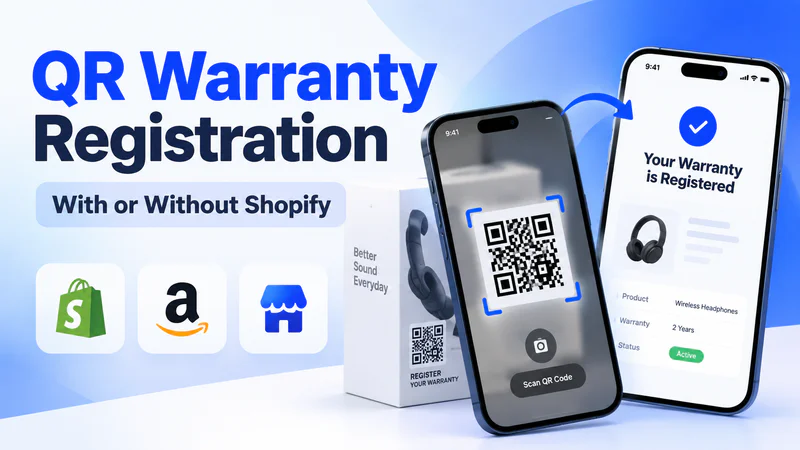
When you sell through Amazon, retail stores or distributors, the buyer's name, email and location stay with whoever made the sale. Paper warranty cards were supposed to close that gap, but the registration rate on paper cards stays painfully low because customers lose them, forget about them, or simply throw them away with the packaging.
QR code warranty registration replaces that paper card with a phone scan that takes under a minute, and it works for customers who bought from you anywhere.
This guide covers the whole system behind the scan: what happens after a customer scans, how a warranty registration form differs from a regular form builder, six setup steps, how it works with Shopify or without it, the legal wording to keep things safe, what the data tells you, and how to raise your registration rate.
TLDR
QR code warranty registration lets customers scan a code on your product, fill in a short branded form on their phone, and receive a digital warranty card in under a minute.
You get a verified owner record with the serial number, purchase channel and consented contact details. It works for buyers from any channel, whether you run Shopify, another store, or sell through Amazon and retail.
Dyrect is the most powerful warranty registration platform that handles the entire flow: scan, form, validation, warranty card, and data sync to your marketing and support tools.
What Is QR Code Warranty Registration?

QR code warranty registration is a system where a customer scans a code printed on a product, opens a registration page on their phone, and submits their details. Those details create a verified ownership record linked to the product's warranty.
The QR code is the front door. Behind it, five parts work together, and each one does a separate job:
You can think of it like a chain: the QR code brings the customer in, the registration page collects their details, validation makes sure the details are real, the warranty record locks everything to that specific product, and the data sync makes sure your team can actually use what's been collected. Remove any link, and the chain breaks.
What Happens After a Customer Scans a Warranty QR Code

In about 60 seconds, a scan turns into a verified owner record, a digital warranty card in the customer's inbox, and a new contact in your marketing tools. Here's the full journey:
1. Scan. The customer points their phone camera at the code. iPhones read QR codes with the built-in Camera app, and recent Android phones do the same through the camera or Google Lens, so there are zero app downloads involved.
2. Land. A mobile page with your logo and colours opens in the phone's browser. When the code belongs to a specific product, that product is already selected on the page.
3. Fill. The customer enters their name, email or phone number, serial number, and purchase details. This usually takes about 30 to 45 seconds when the form is short.
4. Validate. The system checks the serial number against your product catalogue and blocks any serial number that's already been registered.
5. Record. An ownership record is saved with the warranty start date and the policy for that exact product.
6. Confirm. The customer receives a digital warranty card by email or SMS, which they can keep on their phone and pull up anytime.
7. Sync. Contacts who opted in to marketing flow into your email or CRM tool (for example Klaviyo or HubSpot), and the record sits ready in your claims system for later.
Steps 4 to 7 are where the real value sits. They're also exactly the steps a plain QR code linked to a basic form leaves out.
How this works in Dyrect:Dyrect runs all seven steps in one flow. Each registration creates an ownership record, generates a digital warranty card, and sends consented contacts to tools like Klaviyo, HubSpot and Zendesk through ready-made integrations.
How a Warranty Registration System Differs From a Form Builder

Google Forms or a basic website form can collect a name and an email address. The difference shows up once you need that data to do something useful:
So, use a form builder for surveys. Use a warranty registration system when each submission has to stand as proof that a customer owns a specific product.
In Dyrect, the drag-and-drop form builder sets up registration fields with zero coding. It includes built-in email and phone verification, multi-page forms, and receipt upload. And because it's a warranty system at its core, every submission automatically becomes an ownership record with warranty rules applied.
How to Set Up QR Code Warranty Registration in 6 Steps

Step 1: Choose which products and sales channels to cover
Start with products that carry long warranties or higher prices, because those are the ones customers care about registering. Customers are far more likely to register when there's a clear warranty benefit, and even more so when the product is expensive.
Next, list every place your products sell: Amazon, retail stores, distributors and your own website. You'll add these as options in a "where did you buy" field, so each registration shows which channel it came from.
Step 2: Decide where the QR code goes
Placement decides whether the code is still around when the customer actually needs it. Boxes usually get thrown away after unboxing, while a label on the product stays for the product's whole life.
For long-life products, put the code in two places: on the box (for registration at unboxing) and on the product itself (for claims later). When printing, make the code at least 2 x 2 cm, leave a clear border around it (the QR code standard calls this the quiet zone), print dark on a light background, and add a short action line next to it such as "Scan to register and get your digital warranty card."
You can also choose between one code per product line and one unique code per unit. One code per product line is cheaper to print, while unique codes per unit carry the serial number already filled in, which saves the customer typing and cuts down on mistakes.
Step 3: Build a form with the fields you'll actually use
Every extra field gives a customer one more reason to leave halfway. So keep each field only when it unlocks something you'll use later:
Step 4: Add serial number and proof-of-purchase validation
Validation stops fraud at the door, well before anyone files a claim. The system checks each serial number against the list of serial numbers you've created for that SKU, blocks serial numbers registered before, and asks for a receipt photo on high-value items.
An EU power tools brand we spoke with put this right at the top of their list: "Per-SKU serial number validation at registration to prevent fraudulent claims."
In Dyrect, AI-powered serial validation checks every serial number as the customer registers and blocks duplicates automatically.
Step 5: Decide what the customer gets after registering
The reward is what makes customers finish the form. Strong options include a digital warranty card with coverage dates in writing, a free warranty extension (for example, an extra 6 or 12 months of coverage), links to product manuals and care guides, and access to a self-serve portal for future claims.
Frame registration as something that unlocks extras rather than something that activates the base warranty. This is especially important for legal reasons (more on that in the legal section below).
With Dyrect, registered customers receive a branded digital warranty card by email or SMS, along with a self-serve portal where they can check coverage, open manuals and file claims. Brands can add a free or paid extended warranty offer at the same moment, and extended warranty revenue stays 100% with the brand.
Step 6: Connect registration data to your marketing and support tools
Registration data earns its value once it reaches the tools your team already uses. Send consented contacts to your email tool (such as Klaviyo or Mailchimp), ownership records to your CRM (such as HubSpot), and warranty details to your support desk (such as Zendesk or Freshdesk).
Dyrect syncs registration data through ready-made integrations with Klaviyo, Mailchimp, HubSpot, Zendesk, Freshdesk, Zoho Desk and others, plus a REST API and webhooks for custom tools.
How QR Warranty Registration Works With Shopify, Other Stores or Without Any Store
We hear this question constantly. An Amazon-first power tools brand asked us: "Can Dyrect's registration form work as an embedded widget/iframe on a custom landing page, without a Shopify store?" The answer is yes. And when that brand opens a Shopify store later, its existing registrations carry over.
The Dyrect Shopify app syncs products and orders, and automatic Shopify registrations use zero credits. Brands on other platforms, or with no store at all, use the same registration flow through an iframe embed or a hosted page.
How to Word Warranty Registration So It Stays Legally Safe

Present registration as a way to unlock extras, such as a digital warranty card, faster claims or extended coverage. Keep marketing consent as a separate checkbox that starts unticked, and keep Amazon inserts free of review requests.
In the US, the FTC's rules under the Magnuson-Moss Warranty Act (16 CFR 700.7) call it an "unreasonable duty" to require customers to return a registration card for a full warranty. The safe approach: frame registration as something that unlocks extras (extended coverage, faster claims, digital records) rather than something that activates the base warranty. Limited warranties can require registration, provided the requirement is clearly stated.
In the EU, consumers get a legal guarantee of at least two years under Directive (EU) 2019/771, whether they register or take any other action. Extras you add on top, like a longer brand warranty, can be tied to registration.
For marketing consent, the EU's top court (CJEU, Planet49 C-673/17) has ruled that pre-ticked checkboxes count as invalid consent. Registering for a warranty and agreeing to marketing need two separate choices.
On Amazon, the policy on packaging and inserts prohibits asking for positive reviews and steering unhappy buyers away from leaving reviews. Keep any card in the box focused on warranty registration, and confirm your final design with Amazon Seller Support before printing.
Here's how to swap risky wording for safe wording:
This section is general information. Check your final wording with a legal advisor in each market you sell in.
Here's What Warranty Registration Data Tells You
The "where they bought it" field is especially powerful for brands selling through distributors. One scale model kit brand told us: "We want to know who is buying our kits through distributors and retail stores." Before registration, they had zero visibility into who their end customers were.
Track these numbers monthly in your Dyrect analytics dashboard: scan-to-registration rate (completed registrations divided by page visits from QR scans), registration rate by SKU and channel, drop-off by form step, marketing opt-in rate, and repeat purchase rate. According to Dyrect data, brands using the platform see a 28% increase in repeat sales.
How to Get More Customers to Register Warranties

1. Offer a warranty reward. Warranty benefits are the strongest driver of registration. Print the reward right next to the QR code so customers see the value before they even scan. Something like "Scan to get 12 extra months of coverage" works well.
2. Promise relevant emails. Many customers worry registration leads to unwanted ads. Add a line like "We'll email you about your warranty and product. Offers are opt-in." This builds trust and actually increases completion rates.
3. Keep the page fast. Every QR scan opens on a phone, and slow pages kill registrations before the form even appears. Aim for a load time under 3 seconds.
4. Cut the form down. Keep the fields that unlock something (see Step 3 above), and fill in the product automatically through a product-specific code.
5. Place the code at the unboxing moment. Print it on the inside flap of the box or on the first page of the manual, where customers look first. The excitement of opening a new product is peak motivation.
"Dyrect's warranty management software solution has been a game-changer in improving our registration by 30%, resulting in a 110% increase in customer engagement and participation of our Retail Customers."
Daniela Maldonado, Dyrect customer
QR Code Warranty Registration Setup Checklist
Use this checklist before you print your first batch of codes:
☑️ Products and sales channels picked, with the channels listed as options in the form
☑️ QR code placed on the box and on the product body or manual
☑️ Code printed at 2 × 2 cm or larger, dark on light, with a clear border
☑️ Action line printed next to the code ("Scan to register and get your digital warranty card")
☑️ Form limited to fields that unlock something, with the product filled in automatically
☑️ Serial number validation and duplicate blocking switched on
☑️ Reward set up: digital warranty card, coverage dates, free extension
☑️ Separate, unticked marketing consent checkbox added
☑️ Wording checked against your warranty type (full or limited) and your markets
☑️ Amazon insert design checked with Seller Support
☑️ Data connected to your email, CRM and support tools
☑️ Monthly tracking set up for scan-to-registration rate, drop-off and opt-in rate
Ready to see a QR scan turn into a verified owner record?Book a demo and the Dyrect team will walk you through a live registration flow built around your product.
Frequently Asked Questions
What is QR code warranty registration?
QR code warranty registration is a way for customers to register a product by scanning a code printed on it or on its packaging. The scan opens a short form on their phone, submitting it creates a verified ownership record linked to the product's warranty, and the customer receives a digital warranty card.
How do I create a QR code for warranty registration?
Set up a registration page in your warranty registration software like Dyrect, generate a QR code that points to that page, and test-scan the printed code on iPhone and Android before a full print run. For unique per-unit codes, create one code per serial number so the form opens with the serial already filled in.
Do I need Shopify to set up QR code warranty registration?
Shopify helps because it syncs products and orders, so online buyers register automatically. But you can set this up without Shopify entirely. Brands on WooCommerce, Wix, Squarespace, BigCommerce or a custom site embed the form on their own pages. Brands selling through Amazon or retail alone use a branded hosted page through Dyrect.
Can I use one QR code for all my products?
Yes, one code can open a page where the customer picks their product from a list. Codes per product line go a step further by filling in the product automatically, and unique codes per unit fill in the serial number as well, which gives you the strongest fraud control and the fastest form.
Do customers need an app to scan a warranty QR code?
iPhones scan QR codes through the built-in Camera app, and recent Android phones scan them through the camera or Google Lens. The registration page opens right in the phone's browser, with zero downloads required.
Can I add a QR code to packaging that's already printed?
Yes. Place a sticker with the QR code on existing boxes, or include a printed card inside the box. Before a full run, check that the sticker sits flat, stays at least 2 x 2 cm, and scans clearly under shop lighting.
How do Amazon and retail customers register their warranty?
These customers scan the QR code on the product or its packaging and register on your branded page, the same way online buyers do. The form asks where they bought the product, so the registration records the channel. Amazon sellers should keep inserts focused on warranty registration and confirm the design with Amazon Seller Support.
What information should a warranty registration form collect?
Name, email or phone number, product or model, serial number, purchase date and where they bought it. Add proof of purchase for high-value items, plus a separate unticked checkbox for marketing consent. Each field should unlock something specific: validation, the warranty start date, retailer insight, or a legal email list.
How do I stop fake or duplicate warranty registrations?
Switch on serial number validation, which checks each serial against your product catalogue as the customer registers. Duplicate blocking flags serial numbers that were registered before. For high-value products, ask for a receipt photo. In Dyrect, AI-powered serial validation handles all of this automatically.
Is collecting customer data through warranty registration GDPR compliant?
Yes, when set up correctly. Use registration data to run the warranty (that's your legal basis for processing), and collect marketing consent through a separate checkbox that starts unticked, since EU courts treat pre-ticked boxes as invalid consent. Store data in the region your customers expect, and show a short privacy notice on the form.
How do I send warranty registrations to Klaviyo or my CRM?
In Dyrect, every completed registration with marketing consent syncs automatically to Klaviyo, Mailchimp, HubSpot or your support desk, along with product and purchase details you can use to segment campaigns. For tools without a ready-made integration, a webhook or REST API sends the same data.
Can a QR code carry a product's serial number?
Yes, a QR code can carry the serial number inside the web address it opens. When the customer scans, the form opens with the serial number already filled in, which saves typing and prevents mistakes. This needs one unique code printed on each unit, which usually happens during production or labelling.
How much does QR code warranty registration software cost?
Dyrect's pricing starts with a Free plan (100 lifetime credits). The Registration plan costs $19/month for 100 credits, Claims costs $49/month, and Claims Pro costs $149/month. Enterprise plans start at 500 credits/month with custom pricing. One credit equals one registration, claim or repair action, and automatic Shopify registrations use zero credits.
Can the registration page match my brand?
Yes. With the Dyrect experience builder, you set your brand colours, fonts and logo so the registration page looks like it belongs to your company. Customers feel like they're on your site, which builds trust and increases completion rates.
What does the customer get after registering?
The customer receives a branded digital warranty card by email or SMS with their coverage dates, product details and claim instructions. They also get access to a self-serve portal where they can check coverage status, open product manuals and file claims when needed.