
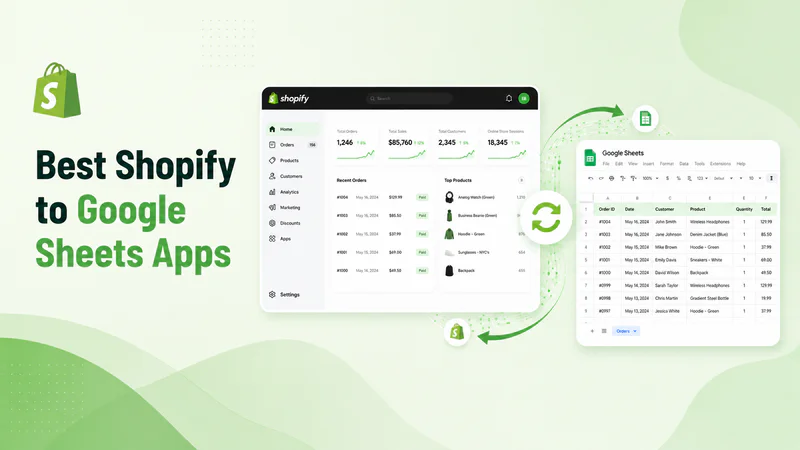
Syncing your Shopify store with Google Sheets removes the need for manual CSV exports and lets you manage products, inventory, and orders in a familiar spreadsheet environment. The right app depends on what you need to sync and whether you want to push changes back to Shopify or just pull data out for reporting.
This guide covers the five best Shopify to Google Sheets apps available in 2026, ranked by features, sync capability, and value.
What to Look for in a Shopify Google Sheets App
Not all sync apps work the same way. Before choosing, check for these:
Two-way sync: Can you edit the sheet and push changes back to Shopify, or is it export-only?
Free plan: Does the app offer a usable free tier, or just a limited trial?
What data syncs: Products and inventory only, or also orders, customers, and metafields?
Automation: Does it support Google Sheets formulas to drive Shopify updates?
Support quality: Check recent reviews for responsiveness, not just star ratings
5 Best Shopify to Google Sheets Apps
1. FlexSync: Best Overall Shopify to Google Sheets App

FlexSync is the only app on this list that lets you fully control your Shopify store from Google Sheets.
FlexSync connects Shopify directly to Google Sheets with true two-way sync. You can export your full product catalog, edit prices, descriptions, inventory counts, SKUs, barcodes, and metafields in the sheet, and push those changes back to Shopify automatically. No CSV uploads, no manual work.
What makes FlexSync stand out is its formula automation. You can write Google Sheets formulas to calculate discounted prices, trigger restock quantities, or apply pricing rules, and FlexSync reads the formula output and updates Shopify accordingly. It also supports multi-location inventory management and is Built for Shopify certified.
Key Features:
Two-way real-time sync between Shopify and Google Sheets
Bulk edit prices, titles, descriptions, SKUs, barcodes, and variants
Google Sheets formula automation for pricing and restocking
Multi-location inventory management
Metafields sync (Growth plan and above)
Filter exports by product type, tag, or collection
No coding required, Built for Shopify certified
Free Plan: Yes, up to 1,000 SKUs
Paid Plans: From $9/month
Sync Type: Two-way (Shopify and Google Sheets)
Best for: Shopify merchants who want to manage and update their full store, including inventory, pricing, and product data, directly from Google Sheets.
2. eCommix: Best for Orders and Reporting

eCommix is a strong option for merchants who need to sync both orders and product data to Google Sheets. It supports over 80 editable fields including metafields, UTM parameters, and variant data, and connects with Looker Studio for advanced reporting dashboards.
The app also supports ShopifyQL queries, which lets more technical users pull custom data sets from their store. Hourly sync is available on paid plans, with 10-minute intervals on the top tier.
Key Features:
Sync products, variants, orders, prices, SKUs, barcodes, inventory, and metafields
Looker Studio integration for reporting dashboards
ShopifyQL support for custom data queries
Bulk deletion, SEO updates, and data migration
Multi-language support (English, Spanish, French, German, and more)
Free Plan: Yes (5 rows per spreadsheet)
Paid Plans: From $14.99/month
Sync Type: Two-way
Best for: Merchants who need to sync both orders and products and want to build reporting dashboards in Looker Studio.
3. Exportsy: Best for Order Management and Fulfillment

Exportsy is built primarily for order management. It syncs Shopify orders to Google Sheets in real time and supports auto-fulfillment by reading tracking numbers entered directly in the sheet. This makes it a practical tool for fulfillment teams, accountants, and suppliers who need to work with order data without accessing the Shopify admin.
The app supports over 80 fields including UTM parameters, abandoned checkouts, and multi-market data. Orders can be split by country, product, vendor, SKU, tag, or fulfillment status for more organized reporting.
Key Features:
Real-time order sync to Google Sheets
Auto-fulfillment from tracking numbers entered in the sheet
80+ fields including metafields and UTM parameters
Order splitting by country, product, vendor, or tag
Multi-market and multiple Google account support
Abandoned checkout tracking
Free Plan: Yes, up to 60 orders/month
Paid Plans: From $19.99/month
Sync Type: Two-way
Best for: Fulfillment teams, accountants, and suppliers who need to manage and track Shopify orders directly from Google Sheets.
4. Sync: Bulk Edit Google Sheets

Sync: Bulk Edit Google Sheets is a focused tool for bulk product editing. It pulls your full catalog into a single Google Sheet and lets you filter, sort, search, and apply formulas to update prices, SKUs, inventory, titles, and more at scale. The Pro plan supports unlimited products, variants, metafields, translations, and orders with automated backups included.
The app launched in July 2025 and has quickly built a positive reputation for reliability and fast support, with one reviewer noting a feature request was implemented within 48 hours.
Key Features:
Full catalog in one Google Sheet with filter and sort support
Bulk edit prices, SKUs, inventory, titles, descriptions, and tags
Metafields, translations, discounts, and collections
Automated backups on all plans
Battle-tested sync engine for large catalogs
Free Plan: No (7-day free trial)
Paid Plans: From $15/month
Sync Type: Two-way
Best for: Merchants with large catalogs who need reliable bulk editing across products, variants, metafields, and translations.
5. Sheets: Data Connector

Sheets: Data Connector provides basic product export to Google Sheets with bulk editing for prices, variants, and stock. It also supports order and customer data viewing and includes SEO meta title and description editing.
However, it carries the lowest rating on this list at 2.9/5. Multiple recent reviews flag issues with the Shopify app getting stuck in sync mode and slow support response times. It may work for simple use cases, but for anything business-critical, the reliability concerns are worth noting before committing.
Key Features:
Bulk product editing in Google Sheets
Order and customer data viewing
SEO meta title and description editing
Mobile support
Free Plan: Yes (10 syncs/month)
Paid Plans: From $9.99/month + $10/month for auto-sync
Sync Type: Primarily one-way (export focused)
Best for: Very basic, low-volume product exports where reliability is less critical.
Quick Comparison Table
Frequently Asked Questions
Which Shopify to Google Sheets app has the best free plan?
FlexSync offers the most capable free plan, supporting up to 1,000 SKUs with full two-way sync, bulk editing, and formula automation. Exportsy also has a free plan covering up to 60 orders per month. SeeFlexSync's full plan details for a breakdown.
Can I update Shopify products from Google Sheets?
Yes, with a two-way sync app. FlexSync, eCommix, Exportsy, and Sync: Bulk Edit all support pushing changes from Google Sheets back to Shopify.
What is the difference between one-way and two-way sync?
One-way sync exports Shopify data into Google Sheets for reporting or review but does not allow edits to push back to Shopify. Two-way sync lets you edit the sheet and have those changes automatically update your Shopify store. For store management, two-way sync is the more useful option.
Which app is best for syncing Shopify orders to Google Sheets?
Exportsy is the strongest option specifically for orders. It syncs orders in real time, supports over 80 fields, and allows auto-fulfillment directly from the sheet. eCommix is a close alternative that also covers orders alongside product data.
Can I use Google Sheets formulas to control my Shopify store?
Yes, with FlexSync. It reads Google Sheets formula outputs and applies them as updates to Shopify. This means you can write a formula to calculate a sale price or restock quantity and have FlexSync push the result to your store automatically.
Is there a Shopify Google Sheets integration without monthly fees?
FlexSync has a free plan supporting up to 1,000 SKUs with no time limit. Exportsy offers a free plan for up to 60 orders per month. Both are genuinely usable free options, not just short trials.
Conclusion
The best Shopify to Google Sheets app depends on what you need to sync. For full store management including products, inventory, pricing, and formula automation, FlexSync is the top choice. For order management and fulfillment workflows, Exportsy is the strongest pick. If you need both products and orders with reporting dashboards, eCommix covers that well.
Start with FlexSync's free plan if you want to manage your Shopify store from Google Sheets without paying upfront. You can install it directly from the Shopify App Store and be syncing in under 10 minutes.