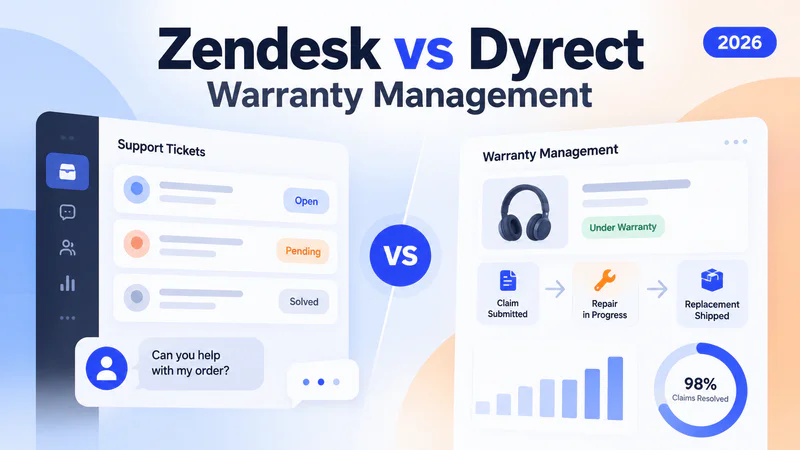
Warranty management breaks when claims live inside support tickets, serial numbers sit in spreadsheets, product registrations exist nowhere, and customers keep emailing "what's the status?" five times a week.
Zendesk is built to manage customer support conversations. It handles tickets, live chat, email, phone, and messaging extremely well. But warranty management requires a different operating system entirely: product registration, warranty activation, serial validation, claim processing, repair and replacement tracking, customer self-service portals, and warranty-specific analytics.
This guide compares how warranty management actually works inside Zendesk versus Dyrect, a dedicated warranty management platform that integrates directly with Zendesk. You will see where Zendesk fits, where it gets stretched, how Dyrect fills the gaps, and how both tools work together so your team can keep Zendesk for support while running warranty operations through a purpose-built system.
TLDR
Zendesk is a helpdesk that handles warranty claims as support tickets. It lacks product registration, serial validation, warranty eligibility rules, repair tracking, customer warranty portals, and warranty-specific analytics.
Dyrect is dedicated warranty management software covering the full journey: QR-based product registration, AI-powered serial validation, structured claim processing, repair and replacement tracking, branded customer portal, warranty analytics, extended warranty sales, and first-party data capture from every sales channel.
Dyrect integrates directly with Zendesk, so brands keep Zendesk for support conversations and run warranty operations through Dyrect with service tickets syncing between both platforms.
For brands selling physical products, Dyrect is the better warranty management foundation because it starts free (full claims at $49/month regardless of team size), while Zendesk costs $55-$115+ per agent per month just for helpdesk capabilities with zero warranty infrastructure included.
What Is Warranty Management in Zendesk?

Zendesk is a helpdesk platform, and warranty management in Zendesk means using support tickets, custom fields, triggers, and marketplace apps to handle warranty claims.
Zendesk was built for customer support. When a customer has a warranty issue, they send an email or fill out a contact form. Zendesk turns that into a ticket. The agent reads the ticket, manually checks whether the product is under warranty (usually by looking up the purchase date in a separate system), decides the next step, and replies to the customer through the ticket.
Zendesk supports this workflow through a few built-in tools:
This setup works when a brand handles a low number of warranty claims per month, sells through a single channel, and has a simple warranty policy where most decisions are straightforward approvals or rejections.
The challenge starts when claim volume grows, products come with different warranty terms, serial numbers need validation, customers expect status updates, and your team needs to track what happens after the claim is approved.
Where Zendesk Warranty Management Gets Stretched

Zendesk was designed to resolve customer conversations, and warranty management requires resolving product service journeys. These are fundamentally different operating models.
Here is what Zendesk does well and what falls outside its design:
What Zendesk handles well for warranty
Zendesk is strong at receiving customer complaints, organizing them into a queue, letting agents reply, and tracking response times. If a customer writes in saying "my product stopped working," Zendesk makes sure the message reaches the right agent and the agent can respond quickly. The conversation layer works.
What Zendesk was never built to handle
The Zendesk Marketplace does include a few apps that address specific gaps. Extend's app lets agents view and action protection plan claims from the ticket sidebar. Corso's app supports returns, exchanges, and shipping protection within Zendesk tickets.
But these apps are either shipping-claims focused, returns focused, or extended warranty sales focused. There is no comprehensive warranty management app in the Zendesk Marketplace that covers product registration, warranty activation, serial validation, claim processing, repair and replacement tracking, customer portal, and warranty analytics in one system.
The practical impact: your support team ends up stitching together Zendesk tickets, spreadsheets, email threads, and separate tools to manage something that should be one connected workflow. Agents toggle between systems for every claim. Customers get slow updates. Product quality insights stay buried in ticket tags.
What Is Dyrect?

Dyrect is dedicated warranty management software built for consumer product brands, covering the full journey from product registration to claim resolution to post-purchase engagement. It is rated 4.9 on G2 and 5.0 on the Shopify App Store.
Dyrect treats warranty as a complete post-purchase operating system, organized around three core products:
Product Registration allows customers to register products through QR codes on packaging, embedded Shopify widgets, branded forms, or a customer portal. Registration captures first-party data (email, phone, sales channel, location), validates serial numbers using AI, issues digital warranty cards, and activates warranty coverage automatically.
Claims Management gives support and service teams a centralized system for claim intake, warranty eligibility validation, serial verification, proof-of-purchase collection, ticket assignment, repair and replacement tracking, customer status updates (via email, SMS, and WhatsApp), and fraud detection. Every claim moves through a structured workflow instead of living as an unstructured support ticket.
Ownership Experience provides customers with a Digital Product Passport where they can view warranty status, claim history, product manuals, authorized service centers, and exclusive offers. Brands use a no-code experience builder to create branded product pages. Extended warranty and protection plan upsells happen during or after registration.
Dyrect pricing: Free plan available (lifetime). Startup at $19/month. Growth at $49/month for claims management and analytics. Scaleup at $99/month for advanced service management and extended warranty. Enterprise custom pricing. Dyrect charges based on warranty activity, and team size has minimal impact since every plan includes business users.
Zendesk vs Dyrect for Warranty Management: Core Difference

Zendesk is a conversation tool adapted for warranty. Dyrect is a warranty-first platform that integrates with Zendesk.
The difference is the operating model. In Zendesk, a warranty claim is a support ticket. The ticket contains a conversation between the customer and an agent. Warranty-specific data (serial number, coverage, eligibility, repair status) either lives in custom fields, external systems, or agent notes.
In Dyrect, a warranty claim is a product service case. The case contains structured warranty data: which product, which customer, when registered, what coverage applies, what proof was submitted, what the validation result was, what repair or replacement action was taken, and what the customer was told at each stage.
How Warranty Claims Work in Zendesk vs Dyrect

Here is how the same warranty claim flows through each platform, step by step:
How Dyrect and Zendesk Work Together
Dyrect integrates directly with Zendesk. Brands keep Zendesk for customer support and add Dyrect for warranty operations. Service tickets sync between both platforms.
This is the important part: choosing Dyrect does not mean replacing Zendesk.
Dyrect's Zendesk integration synchronizes service tickets between both systems. When a warranty claim is created in Dyrect, it can appear in Zendesk for agents who work inside Zendesk daily. When a support ticket in Zendesk involves a warranty issue, the agent can see warranty context from Dyrect.
Here is how the split works in practice:
Zendesk handles:
General customer support (pre-purchase questions, shipping inquiries, account issues, billing)
Live chat and messaging
Phone support
Help center and knowledge base
Support ticket routing and SLA management
Dyrect handles:
Product registration and warranty activation
Warranty claim intake and validation
Serial number verification
Repair and replacement workflow
Customer warranty portal and digital product passport
Warranty analytics and defect reporting
Extended warranty sales
First-party data capture from offline retail and marketplace buyers
Post-purchase engagement and retention
Data syncs between both so your support team in Zendesk sees warranty context, and your warranty team in Dyrect sees relevant support history. This gives each team the right tool for the right job without forcing warranty workflows into a ticketing system or support conversations into a warranty platform.
Feature Comparison: Zendesk vs Dyrect for Warranty
When Zendesk Alone Is Enough and When You Need Dyrect
Zendesk alone works if your team handles fewer than 50 warranty claims per month, your warranty policy is simple (one coverage period, one resolution type), you sell through a single online channel where order data is already in your system, your customers are okay with emailing back and forth for claim updates, and your team can manually verify warranty eligibility for every claim without it slowing down operations.
Add Dyrect if you sell physical products through ecommerce, retail, marketplaces, or distributors and need to know who your customers are after the sale.
If customers need to register products for warranty. If your team handles warranty claims that require serial validation, proof collection, repair tracking, and replacement logistics.
If customers expect a self-service warranty portal where they can check coverage and claim status.
If you want warranty-specific analytics showing which products generate claims, which defects recur, and how fast claims resolve.
If you want to sell extended warranty plans as a revenue stream.
If you want to turn warranty touchpoints into retention and repeat purchase opportunities.
The practical decision framework:
Frequently Asked Questions
Does Zendesk have warranty management?
Zendesk does have warranty management capabilities in the sense that teams can use its ticketing system, custom fields, triggers, and marketplace apps to process warranty claims. But Zendesk is a helpdesk platform, and it lacks dedicated warranty features like product registration, serial validation, warranty eligibility rules, repair tracking, customer warranty portals, and warranty-specific analytics. Teams using Zendesk for warranty management are essentially adapting a support tool for a warranty workflow.
Can Zendesk handle warranty claims?
Zendesk can handle warranty claims as support tickets. Agents receive claims through email or forms, use custom ticket fields to capture product and warranty details, and manually verify eligibility by checking external systems. This works for low-volume, simple warranty operations. For higher volumes or complex warranty policies, the manual verification steps, lack of structured workflows, and inability to track post-approval actions create bottlenecks.
How do teams manage warranties in Zendesk?
Teams typically create a custom ticket form with fields for serial number, purchase date, product type, and issue description. Triggers auto-route tickets tagged as warranty claims to a specific agent group. Agents manually check warranty eligibility using external data (ecommerce platform, ERP, or spreadsheet), then approve or reject through ticket status updates. Repairs and replacements are tracked outside Zendesk.
What is the best warranty management software for Zendesk users?
Dyrect is a strong fit for Zendesk users because it integrates directly with Zendesk while providing dedicated warranty management capabilities. Dyrect handles product registration, claims, serial validation, repairs, replacements, customer portals, and analytics. Zendesk continues handling general customer support. Service tickets sync between both platforms.
Can Dyrect integrate with Zendesk?
Yes. Dyrect integrates with Zendesk to synchronize service tickets between both platforms. Warranty claims created in Dyrect can appear in Zendesk for agents who work there daily. Support tickets in Zendesk involving warranty issues can reference warranty context from Dyrect. Brands use both together: Zendesk for support conversations, Dyrect for warranty operations.
Is Zendesk enough for warranty management?
Zendesk is enough if your warranty process is simple, your claim volume is low (under 50 per month), and your team can manually verify eligibility and track repairs outside the system. Once claim volume grows, products require serial validation, customers expect self-service warranty portals, or your team needs warranty-specific analytics, a dedicated platform like Dyrect becomes the better foundation.
What Zendesk marketplace apps help with warranty claims?
The Zendesk Marketplace includes apps like Extend (for viewing and actioning protection plan claims), Corso (for returns, exchanges, and shipping protection), and Claimit (for shipping damage claims). These apps address specific gaps but are either returns focused, shipping claims focused, or extended warranty sales focused. There is currently no app in the Zendesk Marketplace that provides comprehensive warranty management covering registration, claims, serial validation, repair tracking, and warranty analytics.
How much does Zendesk cost for warranty management?
Zendesk Suite starts at $55 per agent per month (billed annually) for the Team plan, and $115 per agent per month for Professional. Enterprise is quote-only. Add-ons for AI, workforce management, and quality assurance can push the effective cost to $165 to $265 per agent per month. This covers the helpdesk. Warranty management capabilities require additional configuration effort, marketplace apps, and external tools at extra cost. Dyrect starts with a free plan and costs $49/month for full claims management and analytics, regardless of team size.
How to track warranty claims in Zendesk?
Create a custom ticket form specifically for warranty claims with fields for serial number, product type, purchase date, and proof of purchase. Use triggers to auto-tag and route these tickets to a warranty team. Use Zendesk Explore to report on warranty ticket volume, resolution time, and SLA compliance. For tracking repairs, replacements, and service outcomes after claim approval, Zendesk requires external tools because it cannot manage post-approval workflows.
Can Zendesk track product registrations?
Zendesk cannot track product registrations. It has zero registration mechanism for customers to register products for warranty coverage. Brands that need product registration alongside warranty claims management use a dedicated platform like Dyrect, which supports QR-based registration, Shopify-connected registration, branded forms, and a customer warranty portal where registrations and claims connect.
Does Dyrect replace Zendesk?
Dyrect does replace Zendesk for warranty management, but it does complement Zendesk for general customer support. The recommended setup is to keep Zendesk for support conversations (pre-purchase questions, shipping issues, billing, live chat) and use Dyrect for the warranty journey (registration, claims, validation, repairs, replacements, analytics, extended warranty). Both platforms sync data through the integration.
What is the difference between a helpdesk and warranty management software?
Helpdesk software like Zendesk is built to manage customer support conversations through tickets. It excels at receiving inquiries, routing them to agents, tracking response times, and managing communication across channels.
Powerful warranty management software like Dyrect is built to manage product service journeys: registering products, activating warranty coverage, validating claims against serial numbers and policy rules, tracking repairs and replacements, providing customer self-service portals, and generating product quality analytics. Many brands use both: a helpdesk for support and a warranty platform for after-sales operations.
Is Dyrect suitable for Shopify brands using Zendesk?
Yes. Dyrect integrates natively with both Shopify and Zendesk. Shopify orders and product data sync with Dyrect for warranty registration and claims. Zendesk tickets sync with Dyrect for service context. Shopify brands using Zendesk for support can add Dyrect specifically for warranty management without changing their existing support workflow.
What warranty analytics can Dyrect provide that Zendesk cannot?
Dyrect provides warranty-specific analytics including defect patterns by product, claim volume by product line, claim approval and rejection rates, serial-level failure analysis, registration-to-claim ratios, average claim resolution time, replacement and repair trends, registration channel performance, and customer engagement metrics. Zendesk Explore reports on ticket volume, agent performance, response times, and SLA compliance, which are support metrics rather than warranty operations metrics.
How long does it take to set up Dyrect alongside Zendesk?
Dyrect's basic setup (Shopify integration, registration forms, digital warranty cards) takes under 30 minutes. The Zendesk integration connects through a straightforward sync configuration. Brands can go live with product registration and claims management within days, then expand into extended warranty sales, analytics, and post-purchase engagement as the warranty program matures.