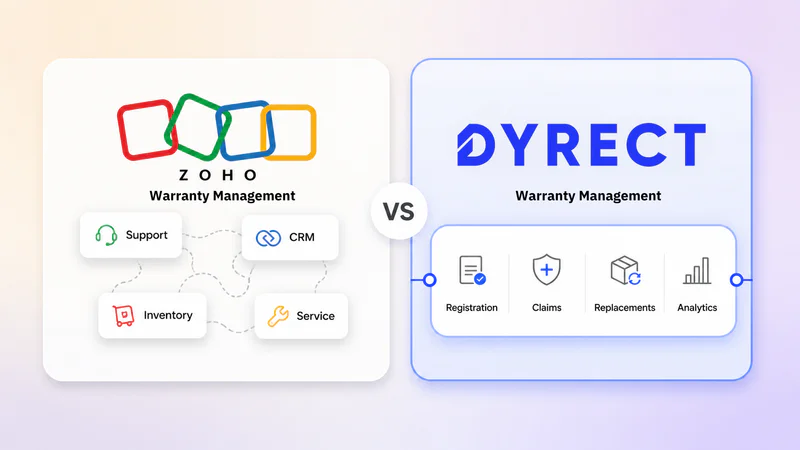
Warranty management gets complicated the moment support tickets, serial numbers, invoices, customer complaints, replacement requests, and claim updates start living in different places.
Maybe your team already uses Zoho. So the natural question is: can you manage warranties inside Zoho too?
The honest answer: yes, up to a point.
Zoho gives you several useful pieces for warranty operations. Zoho Inventory can track serial numbers. Zoho FSM can track asset warranty expiry. Zoho Desk can handle warranty complaints. Zoho Creator can be used to build custom claim flows. Put together carefully, these tools can support a basic Zoho warranty process.
But if you sell physical products at scale, warranty management is more than storing purchase dates or replying to complaints. You need product registration, customer self-service, claim validation, repair and replacement workflows, real-time status updates, warranty analytics, and post-purchase engagement.
That is where dedicated warranty management software like Dyrect enters the conversation.
Dyrect is built around the full warranty journey, from product registration to claim resolution and beyond. It helps brands collect ownership data, manage claims, track repairs and replacements, improve visibility, and turn warranty touchpoints into retention and upsell opportunities.
In this guide, you'll learn how warranty management in Zoho actually works, which Zoho products are involved, where Zoho fits well, where it gets stretched, and how Dyrect compares across claims, after-sales service, integrations, analytics, pricing, reviews, and brand fit. By the end, you will have a clear answer on whether Zoho is enough for your warranty process, or whether a dedicated platform like Dyrect is the better move.
What Is Warranty Management in Zoho?

Warranty management in Zoho means using different Zoho products to track product warranties, customer complaints, service requests, serial numbers, claim approvals, replacements, and warranty-related communication.
Zoho does not operate like a dedicated warranty platform where product registration, claim intake, validation, repair updates, replacement status, and customer visibility all sit inside one warranty-specific system. Instead, Zoho gives you flexible business tools that can be configured around a warranty process.
For example, a customer might raise a warranty complaint through Zoho Desk. Your team might check purchase history or customer details in Zoho CRM. Serial number verification might happen in Zoho Inventory. Asset warranty expiry might be tracked in Zoho FSM. If you need a custom warranty claim form or portal, Zoho Creator might be used to build it.
So, when people talk about Zoho warranty management, they are usually talking about a connected workflow across multiple Zoho apps.
For very small teams, this can be enough. If you handle a low number of claims, you can track warranty details manually, use support tickets for complaints, and verify products through invoices or serial numbers.
But as the process gets more serious, the gaps start showing.
Warranty management usually needs:
Product registration
Warranty start and end dates
Serial number validation
Proof of purchase collection
Customer claim forms
Image or document uploads
Claim approval workflows
Repair and replacement tracking
Customer status updates
Warranty analytics
Product defect insights
Zoho can support several of these pieces, but the experience depends heavily on how the system is configured. Without a carefully designed workflow, warranty data can get spread across tickets, customer records, asset records, inventory entries, emails, and custom fields.
That is the main difference between warranty management in Zoho and dedicated warranty management software. Zoho gives you the building blocks. A platform like Dyrect gives you a warranty-first workflow.
In simple terms, Zoho can help you manage warranty-related data. Dyrect is built to manage the warranty journey itself.
Which Zoho Products Are Used for Warranty Management?

Since Zoho does not offer one standalone warranty management product, teams usually combine different Zoho tools depending on their process.
The most common products used for Zoho warranty workflows are Zoho FSM, Zoho Inventory, Zoho Desk, Zoho Creator, Zoho CRM, Zoho Books, and Zoho Analytics.
Zoho FSM
Zoho FSM is one of the most relevant Zoho products for warranty tracking, especially for businesses that deal with assets, installations, service visits, technicians, or maintenance work.
It can be used to track asset details such as purchase date, installation date, service history, and warranty expiry. This makes it useful when a product needs field service or when a technician needs to know whether an asset is still under warranty before starting work.
Zoho FSM fits warranty use cases like:
Asset warranty expiry tracking
Field service appointments
Technician assignment
Service history
Maintenance plans
Warranty-based service decisions
The limitation is that Zoho FSM is more focused on field service management than customer-facing warranty registration or ecommerce claim flows.
Zoho Inventory
Zoho Inventory is useful for tracking serial numbers and batches. This matters in warranty management because teams often need to confirm which exact product was sold, when it was sold, and whether it is eligible for warranty coverage.
If a customer submits a warranty claim, Zoho Inventory can help verify product identity through serial number tracking. It can also support return-related processes when paired with sales returns or RMA-style workflows.
Zoho Inventory is useful for:
Serial number tracking
Batch tracking
Product traceability
Invoice-linked verification
Warranty eligibility checks
Return and replacement context
The limitation is that Inventory is mainly built for stock and order management. It does not provide a complete branded warranty claim portal or full claim resolution experience by itself.
Zoho Desk
Zoho Desk is usually the place where warranty complaints enter the business. Customers can reach out through email, forms, chat, phone, or other support channels, and Zoho Desk turns those conversations into tickets.
For warranty-related support, agents can use Desk to assign tickets, reply to customers, escalate issues, and track resolution status.
Zoho Desk works well for:
Warranty complaints
Support tickets
Agent assignment
Customer replies
Escalations
SLA tracking
The challenge is that a warranty claim needs more than conversation history. Agents also need product details, purchase proof, serial number status, warranty policy, repair/replacement decision, and claim outcome. Those details usually need to come from other Zoho apps or custom fields.
Zoho Creator
Zoho Creator is the custom app builder in the Zoho ecosystem. If your warranty process has unique rules, forms, dealer flows, approvals, or portals, Creator is often the product used to build that system.
With Zoho Creator, you can create warranty claim forms, collect product details, upload proof of purchase, route claims for approval, build dashboards, and create portals for customers, dealers, or service partners.
Zoho Creator is useful for:
Custom warranty claim forms
Dealer or customer portals
Approval workflows
Custom claim statuses
Warranty dashboards
Role-based access
Creator is powerful, but it also needs thoughtful planning. The final warranty experience depends on how well the app is designed, built, integrated, and maintained.
Zoho CRM
Zoho CRM can support warranty management by storing customer, account, product, and purchase-related information. It is useful when sales, support, and service teams need context around the customer relationship.
For example, an agent can check whether a customer is high-value, which products they own, which account they belong to, or whether there are past interactions linked to that customer.
Zoho CRM is useful for:
Customer records
Account history
Purchase context
Product ownership context
Follow-up tasks
Customer segmentation
By itself, CRM is not a warranty management system. It is better viewed as the customer data layer that supports warranty workflows.
Zoho Books
Zoho Books can enter the warranty process when invoices, credit notes, refunds, replacement billing, or financial records are involved.
For example, if a replacement product needs to be issued at zero cost, partially charged, or recorded for accounting purposes, Zoho Books can help manage the financial side.
Zoho Books is useful for:
Invoice verification
Credit notes
Refund records
Replacement billing
Financial audit trail
It supports the finance side of warranty operations, but it does not manage claim intake or customer communication.
Zoho Analytics
Zoho Analytics can be used to build reports across warranty-related data if that data is structured properly across Zoho apps.
It can help answer questions like:
Which products create more warranty requests?
Which regions have higher claim volume?
How many claims are approved or rejected?
How long does claim resolution take?
Which service categories create the most workload?
The reporting potential is strong, but warranty visibility depends on how cleanly your data is captured across Desk, Inventory, FSM, CRM, Creator, and Books.
That is the key tradeoff with Zoho warranty management: the tools are flexible, but the workflow is assembled.
What Is Dyrect?

Dyrect is dedicated warranty management software for brands that sell physical products and need to manage product registration, warranty claims, repairs, replacements, and customer updates in one place.
Instead of treating warranty as a support ticket inside a helpdesk or a custom field inside a CRM, Dyrect treats it as a complete post-purchase journey.
Customers can register products through QR codes, forms, Shopify-connected flows, or a branded warranty portal. Once registered, your team gets a clear record of the customer, product, purchase details, serial number, and warranty coverage.
Dyrect then helps you manage claims from submission to resolution. Customers can submit claim details, upload proof of purchase or images, and track claim status. Your team can review claims, validate products, assign tickets, approve requests, and manage repairs or replacements.
Dyrect supports:
Product registration
Warranty records
QR registration
Claim forms and ticketing
Serial number validation
Repair and replacement workflows
Customer status updates
Warranty analytics
Extended warranty and upsell flows
For mid-market and large-scale brands, Dyrect is useful because warranty becomes more than complaint handling. It becomes a way to collect ownership data, improve service visibility, reduce manual work, track product issues, and create post-purchase revenue opportunities.
Dyrect vs Warranty Management in Zoho: Core Difference

The biggest difference is that Zoho gives you tools to build a warranty process, while Dyrect gives you a warranty process that is already built for product registration, claims, repairs, replacements, and customer updates.
Zoho is a broad business software suite. It can support warranty management through products like Zoho Desk, Zoho Inventory, Zoho FSM, Zoho CRM, and Zoho Creator. But the warranty flow usually has to be assembled.
Dyrect is different. It is built specifically for warranty management, so the core workflow already matches how product brands handle warranty operations.
Here is the practical difference:
With Zoho, your team may need to move between apps to answer one claim:
Zoho Desk for the complaint
Zoho CRM for customer details
Zoho Inventory for serial number or invoice checks
Zoho FSM for asset warranty expiry
Zoho Creator for custom forms or approvals
Zoho Analytics for reporting
That can work when the claim volume is low. But as the brand grows, this type of flow can become harder to manage. Agents spend more time checking information, customers wait longer for updates, and warranty data becomes harder to analyze.
Dyrect keeps the warranty journey more connected. Product registration, warranty records, claim details, proof uploads, serial validation, ticket status, repair or replacement decisions, and customer updates all sit around one warranty workflow.
So the core difference is not just “Zoho has fewer warranty features” or “Dyrect has more warranty features.” The real difference is the operating model.
Zoho is flexible and broad. Dyrect is focused and warranty-first.
Zoho Warranty Management Process: How Claims Usually Flow

A warranty claim in Zoho usually moves through a connected set of apps rather than one dedicated warranty workspace. The exact flow depends on how your Zoho account has been configured, but the process generally looks like this.
1. Customer raises a warranty complaint
The claim usually starts as a customer complaint or service request.
This can enter through:
Zoho Desk ticket
Website form
Email
Chat
Phone call
Zoho Creator form
Dealer or service team entry
If Zoho Desk is used, the complaint becomes a support ticket. The customer explains the issue, shares order details, and waits for the team to verify eligibility.
At this stage, the ticket is mostly a conversation. The agent still needs to confirm whether the product is actually covered under warranty.
2. Agent checks customer and purchase details
Next, the support or service team checks customer information.
This can involve Zoho CRM, Zoho Books, Zoho Inventory, or order records from another ecommerce system.
The agent may need to verify:
Customer name
Purchase date
Invoice number
Product purchased
Order source
Warranty start date
Warranty duration
Past service history
This step is important because warranty eligibility depends on purchase proof and coverage period. If these records are stored cleanly inside Zoho, the check is smoother. If they sit across different apps, the agent has to switch screens and compare data manually.
3. Product or serial number is verified
For physical products, warranty approval often depends on product identity.
Zoho Inventory can be used to track serial numbers or batches. The agent may check whether the serial number exists, whether it was sold to the customer, and whether it matches the product listed in the claim.
This step helps prevent duplicate claims, incorrect claims, or claims for products outside warranty coverage.
For asset-heavy businesses, Zoho FSM may also be involved. If the product is registered as an asset, the team can check installation date, warranty expiry, asset history, and previous service visits.
4. Claim details are reviewed
Once the product and customer details are verified, the team reviews the actual issue.
They may collect:
Problem description
Photos or videos
Proof of damage
Usage details
Product category
Service location
Replacement request
Repair request
If the claim form is built in Zoho Creator, these fields can be structured. If the claim arrives through Zoho Desk, agents may need to request missing details through ticket replies.
This is where Zoho’s flexibility can help, but only if the workflow has been built properly. Otherwise, claim review becomes dependent on agent notes and manual follow-ups.
5. Claim is approved, rejected, or escalated
After review, the team decides what happens next.
Common outcomes include:
Approve repair
Approve replacement
Ask for more information
Escalate to technician
Mark as out of warranty
Reject claim
Create service appointment
Create return or replacement order
Zoho Desk can manage the communication side. Zoho FSM can handle service appointments. Zoho Inventory can support replacement stock movement. Zoho Books can handle invoices, credits, or financial records. Zoho Creator can manage approval workflows if a custom app has been built.
The challenge is coordination. Each action may sit in a different product.
6. Repair, replacement, or service action is created
If the claim is accepted, the next step is fulfillment.
For a repair, Zoho FSM may be used to assign a technician, schedule a service visit, or update service reports.
For a replacement, Zoho Inventory may be used to process stock movement, sales returns, or replacement item handling.
For financial adjustments, Zoho Books may be involved.
For customer updates, Zoho Desk or CRM automation may send messages.
In a light warranty process, this can be handled manually. In a larger operation, the process needs clear rules so the team knows exactly what to create, update, and close.
7. Customer receives updates
Customers expect to know what is happening with their claim.
In Zoho, updates usually happen through Zoho Desk replies, email automation, CRM workflows, or Creator notifications.
A good Zoho warranty workflow should tell customers:
Claim received
Under review
More information required
Approved
Rejected
Repair scheduled
Replacement shipped
Claim closed
Without these updates, customers keep asking for status, which increases support workload.
8. Claim is closed and reported
Finally, the claim is closed after repair, replacement, rejection, or resolution.
Reporting can be done through Zoho Desk reports, Zoho FSM reports, Zoho Creator dashboards, Zoho Inventory data, or Zoho Analytics.
The team may track:
Claim volume
Approved vs rejected claims
Product issue trends
Average resolution time
Replacement volume
Service workload
Warranty cost
Customer complaint categories
This is where Zoho can be powerful if data has been captured consistently. But if each team logs claim information differently, insights become harder to trust.
A simple Zoho warranty claim flow might look like this:
Complaint in Zoho Desk → customer check in CRM → serial check in Inventory → warranty expiry check in FSM → approval in Creator or Desk → repair/replacement in FSM or Inventory → reporting in Analytics
Dyrect Warranty Management Process: Product Registration to Claim Resolution

Dyrect’s warranty process is built around the full post-purchase journey. Instead of starting only when a customer complains, Dyrect starts at product registration.
That makes the claim process cleaner later, because the system already has product, customer, purchase, and warranty details before a claim is raised.
1. Customer registers the product
The journey starts when the customer registers their product.
This can happen through:
QR code on packaging, manual, product insert, or invoice
Warranty registration form
Branded customer portal
Shopify-connected registration flow
Website-embedded form
Once the customer registers, Dyrect creates a warranty record linked to the product and customer.
This is important because the brand now knows who owns the product, which product they own, when the warranty started, and what coverage applies.
For products sold through retail, marketplaces, dealers, or distributors, QR-based registration is especially useful. The brand can still collect ownership data even if the original sale happened outside its own website.
2. Warranty record is created
After registration, Dyrect stores the warranty details in a structured way.
This can include: Customer information, Product details, Purchase date, Serial number, Warranty start date, Warranty end date, Proof of purchase, Product category, and Registration source.
This warranty record becomes the reference point for future claims. So when the customer raises an issue later, your team does not have to start from scratch.
The claim can be checked against an existing registration, instead of asking the customer to resend every detail again.
3. Customer receives warranty confirmation
Once the product is registered, the customer can receive confirmation through email or other supported communication channels.
This confirmation can include warranty details, coverage period, registration status, and access to the warranty portal.
This step is small, but valuable. It reassures the customer that their product is covered and gives them a known place to return if they need support later.
It also reduces future confusion around warranty eligibility.
4. Customer submits a warranty claim
If the product has an issue, the customer can submit a claim through Dyrect’s claim form or customer portal.
A well-structured claim form can collect the details your team needs upfront, such as:
Product issue
Serial number
Purchase proof
Images or videos
Order details
Damage description
Preferred resolution
Contact information
This reduces back-and-forth. Instead of an agent asking for missing details over several emails, the claim starts with the right information.
For the customer, the process also feels more organized. They are not just sending a complaint into a support inbox. They are submitting a proper warranty claim.
5. Claim becomes a ticket for internal review
Once submitted, the claim becomes a ticket inside Dyrect.
The team can review the claim, check the product record, validate the serial number, look at the submitted proof, and decide the next step.
Internal users can manage:
Claim status
Approval decision
Assigned team member
Repair status
Replacement status
Customer communication
Resolution notes
This gives service teams a cleaner operating view. Each claim has context, status, ownership, and history attached to it.
6. Team validates the claim
Validation is one of the most important parts of warranty management.
The team needs to know:
Is the product registered?
Is the warranty active?
Does the serial number match?
Is the proof of purchase valid?
Has the customer already claimed against this product?
Does the issue fall under warranty policy?
Is repair, replacement, or rejection the correct next step?
Dyrect helps bring this information into the warranty workflow, so agents are not manually jumping between tickets, spreadsheets, invoices, and product records for every decision.
For brands handling higher claim volume, this saves time and reduces inconsistent decisions.
7. Claim is approved, rejected, repaired, or replaced
After validation, the team can move the claim to the right outcome.
Common outcomes include:
Approved for repair
Approved for replacement
Rejected due to policy
More information requested
Escalated internally
Closed after resolution
If repair is needed, the claim can continue through a repair workflow. If replacement is needed, the team can manage that path from the claim record.
This is where Dyrect’s dedicated structure is valuable. Warranty claims are not treated as generic tickets. They are handled as product service cases with clear resolution paths.
8. Customer gets claim updates
Customers care a lot about claim status.
Dyrect supports customer updates during the claim journey, so the customer can know when the claim is received, reviewed, approved, rejected, repaired, replaced, or closed.
This lowers repeated “what is the status?” messages and makes the experience more transparent.
For brands, customer updates also protect support bandwidth. For customers, they reduce uncertainty.
9. Claim data turns into warranty insights
Once claims are processed through Dyrect, the brand gets cleaner warranty data.
Over time, this can show:
Which products get more claims
Which issues appear more often
Which claim reasons are increasing
Which serials or product groups need attention
Which claims are taking longer to resolve
Which customers are eligible for extended warranty
Which registration channels perform better
This turns warranty from a reactive process into an insight source.
Instead of only closing claims, your team can learn what is going wrong, where support time is going, and which products or processes need attention.
The takeaway:
Dyrect’s process is designed to keep the warranty journey connected:
Product registration → warranty record → claim submission → validation → ticket review → repair or replacement → customer updates → analytics
That connected flow is the main advantage.
Dyrect vs Zoho After-Sales Service

After-sales service is where the difference between a general business stack and a dedicated warranty platform becomes more visible.
A warranty claim rarely ends at “approved” or “rejected.” Once the customer’s issue is accepted, the brand still has to manage the actual service outcome. That could mean repair, replacement, return pickup, shipment, payment collection, refund adjustment, technician handling, spare part movement, or status communication.
This is where Dyrect has a stronger after-sales service advantage.
Dyrect offers an end-to-end service workflow inside the same platform, so teams can track what happens after the claim decision is made. The process does not stop at claim intake. It continues into resolution.
For example, once a claim is approved, your team can move into:
Repair handling
Replacement processing
Return tracking
Payment or charge collection
Shipment updates
Service status tracking
Customer communication
Final claim closure
That gives your team a single operational view of the service journey.
Instead of treating after-sales service as scattered follow-up work, Dyrect keeps the claim and the resolution connected. The team can see what the customer requested, what was approved, what action is pending, which item needs to be repaired or replaced, whether a payment is required, whether shipment is created, and whether the issue has been closed.
For growing product brands, that visibility is important. Customers do not only care whether the claim was accepted. They care about what happens next.
They want to know:
Has the return been initiated?
Has pickup been arranged?
Has the product reached the service center?
Is repair in progress?
Has a replacement been approved?
Has the replacement shipped?
Is there any service fee?
Has payment been received?
Is the claim closed?
Dyrect is built to make these after-sales steps trackable inside one warranty-service flow.
Zoho can support after-sales service if your team has already built the right process across its tools, but Dyrect’s advantage is that service tracking is tied directly to the warranty claim journey. That makes it much easier for support, service, operations, and customer experience teams to stay aligned.
Here is the practical difference:
Dyrect also improves internal accountability. When repair, replacement, return, payment, and shipment are linked to the claim, it becomes easier to know who owns the next step. Support does not have to guess whether operations has shipped the replacement. Operations does not have to search for the claim context. Service teams do not have to ask for support for what the customer submitted.
Feature Comparison: Dyrect vs Zoho Warranty
Here’s a concise feature-level view of how both options compare.
Zoho has breadth. Dyrect has warranty depth.
For a small business with very few claims, Zoho can cover the basics. For mid to large-scale brands handling registrations, claims, repairs, replacements, returns, payments, shipments, and customer updates, Dyrect gives a more direct feature set.
Integrations: Zoho Ecosystem vs Dyrect Warranty Stack
Zoho’s biggest integration advantage is its own ecosystem. If your business already uses Zoho CRM, Desk, Inventory, FSM, Books, Creator, Campaigns, or Analytics, warranty-related data can be connected across those tools with the right configuration.
That makes Zoho useful when your internal operations already run on Zoho and your team wants warranty data to stay close to sales, support, service, finance, and reporting.
Dyrect’s integration strength is different. It connects warranty workflows with the tools product brands already use for ecommerce, support, marketing, communication, and CRM.
For example, Dyrect can support warranty journeys around:
Shopify and ecommerce orders
Support and ticketing workflows
Customer communication tools
Marketing and retention platforms
CRM systems
Zoho-related workflows
The key difference is purpose.
Zoho integrations are built around running the wider business. Dyrect integrations are built around making warranty registration, claims, service resolution, and post-purchase engagement smoother.
Analytics, Visibility, and Warranty Insights
Warranty data is extremely valuable. It shows which products fail, which customers need support, which claims are valid, which batches create issues, which agents are overloaded, and which service steps slow down resolution.
Zoho’s reporting potential is strong, especially with Zoho Analytics. If data is structured well across CRM, Desk, FSM, Inventory, and Creator, Zoho Analytics can produce useful dashboards.
But the real challenge is structure.
If warranty claims are support tickets, warranty expiry dates are asset fields, serial numbers are inventory fields, and replacement details sit in finance records, reporting needs a carefully connected data model.
Dyrect starts with warranty as the data model.
Here is the difference:
Zoho is powerful if your team has the resources to define, connect, and maintain reporting logic. Dyrect is cleaner for warranty-specific visibility.
Useful warranty insights include:
Which products receive the highest claim volume
Which serials or batches show recurring issues
Which claim types cost the most
Which customers have pending claims
Which agents handle the highest volume
Which claims need escalation
Which customers are eligible for extended warranty
Which registration sources perform best
Which post-purchase campaigns drive engagement
For leadership, warranty analytics supports product decisions. For support, it improves service speed. For marketing, it creates customer segments. For operations, it reduces scattered decisions.
Warranty data should be more than a ticket archive. It should guide product quality, service performance, and customer retention.
Extended Warranty, Upsell, and Post-Purchase Growth
Warranty management is often treated as a cost center. Dyrect gives brands a better way to think about it.
Product registration is a valuable moment. A customer has just purchased, scanned a QR code, registered a product, or opened a warranty confirmation. That is one of the cleanest post-purchase touchpoints a brand owns.
Dyrect uses that moment to support more than claim handling.
Zoho can support upsell through CRM or marketing tools. But Dyrect has a natural advantage because it captures product ownership and warranty engagement at the point of registration.
A customer registering a product is already engaged. That is a better moment than sending a random campaign later.
Reviews and Real User Signals
Reviews show a clear pattern: Dyrect is praised for making warranty registration and claims easier to manage, while Zoho warranty discussions often revolve around how to configure the right process.
On the Shopify App Store, Dyrect is rated 4.9⭐ and reviews mention product registration, claim management, cleaner UI, automated customer emails, proof-of-purchase uploads, serial number validation, and moving warranty work away from spreadsheets and email threads.
On G2, Dyrect is rated 4.8⭐ and reviews highlight ease of use, responsive support, organized warranty registrations, claim review, approval tracking, and ecommerce or support tool integrations. A fair note: some users want deeper analytics, so brands with complex reporting needs should evaluate the right Dyrect plan and reporting fit.
Which Platform Is Best for Your Brand for Warranty Management: Zoho or Dyrect?

The right choice depends on how serious warranty has become inside your business.
Zoho makes sense if warranty is still a light process. Maybe you receive a small number of claims, your support team already uses Zoho Desk, and your team is comfortable checking customer records, serial numbers, invoices, and service history manually when needed.
Choose Zoho if:
Your claim volume is very low
Your team already runs daily operations inside Zoho
You only need basic serial number or asset warranty tracking
Your support team can manage claims as regular tickets
You have someone who can configure Zoho fields, forms, workflows, and reports
You prefer building a custom process inside your existing Zoho stack
Dyrect is the stronger fit when warranty becomes a real operating function. If customers are registering products, submitting claims, asking for status updates, requesting repairs, needing replacements, or buying through multiple channels, you need a more focused system.
Choose Dyrect if:
You are a mid to large-scale brand
You sell physical products through ecommerce, retail, dealers, or distributors
You need product registration at scale
You want QR-based warranty registration
You need a branded customer portal
You want claim intake, validation, repair, replacement, return, payment, and shipment tracking in one platform
You want warranty-specific analytics
You want to offer extended warranties or post-purchase upsells
You want fewer spreadsheets, fewer scattered tickets, and better customer visibility
So, if you are just starting and handling a few warranty requests manually, Zoho can cover the basics.
But if warranty is the part of how customers experience your brand after purchase, Dyrect is the better long-term choice. It gives your team a dedicated warranty system instead of asking them to manage a growing process across disconnected tools.