GROW PRODUCT REGISTRATIONS
“We add registration cards to every box and almost nobody fills them in.”
Get more customers to register their products
Paper warranty cards get lost or thrown away with the packaging, so most buyers never register. Dyrect replaces the card with a QR scan and a short branded form that takes under a minute, for buyers from any sales channel.
Read the full guide →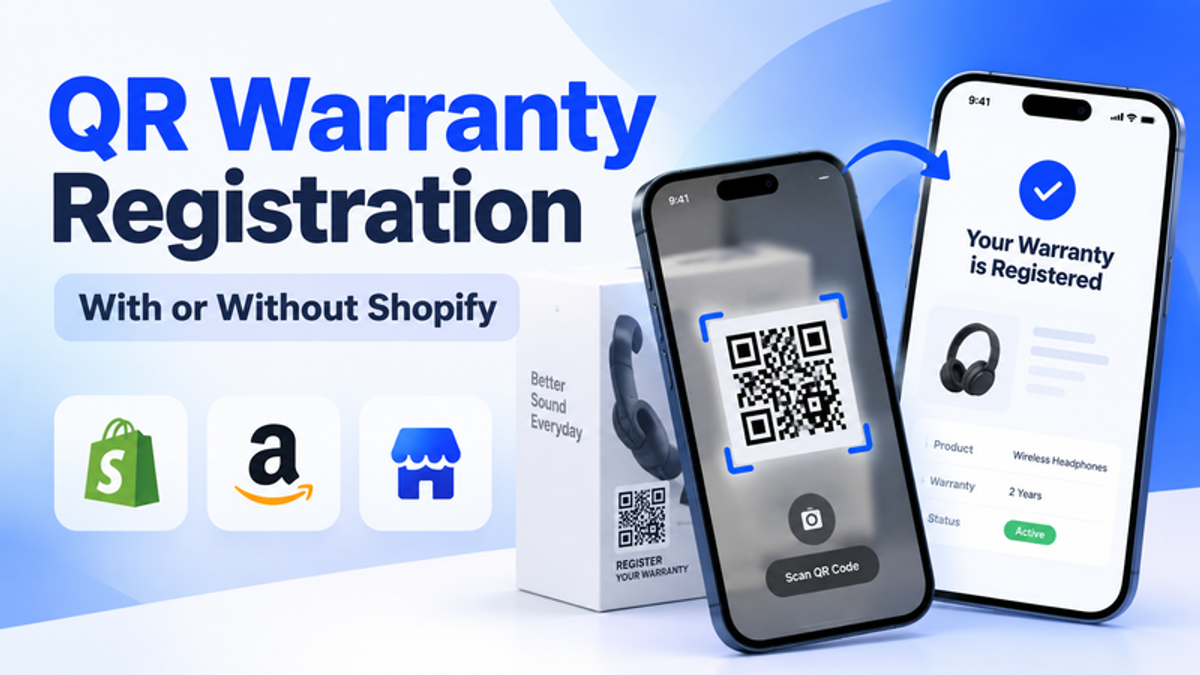
How Dyrect solves it
One registration flow for every sales channel
Buyers register in under a minute, wherever they bought your product
Wherever they bought it
- Your Shopify storeRegisters automatically when the order syncs
 Shopify
 - AmazonScans the QR code in the box
 Amazon
 - Retail storesScans the QR code on the product
- Your websiteFills in the form on your own site

What changes with Dyrect
With paper warranty cards
- Cards get lost or thrown away with the packaging
- Amazon and retail buyers stay anonymous
- Serial numbers arrive with typos and duplicates
- Your team re-enters every card by hand
With Dyrect
- Buyers register from their phone in under a minute
- One branded page works for every sales channel
- Serial numbers are checked as buyers register
- Owners get a digital warranty card right away
A closer look at each step
1. Put a QR code where buyers will see it
Generate a registration QR code in Dyrect and print it on the box, the product label or the manual. Print it at least 2 x 2 cm with a short action line, such as "Scan to register and get your digital warranty card." One code per product line fills in the product automatically.

- Dashboard
- Products
- Registrations
- Service & Claims
- Configurations
New QR code
 APEX
APEX2. Buyers scan with their phone camera
iPhones and recent Android phones read QR codes with the built-in camera, so there is nothing to download. The scan opens a mobile page with your logo and colours, with the product already selected.
APEXApex AppliancesRegister your product
Apex Air Purifier 500Get your digital warranty card- Digital warranty card
- Setup guides & manuals
- Extended warranty
3. A short form with built-in checks
Ask only for fields you will use: contact details, serial number, purchase date and where they bought it. Dyrect checks each serial number against your catalogue as the customer registers, and keeps marketing consent as a separate, unticked checkbox.
Register your productApex Air Purifier 5004. Owners get a digital warranty card
Each registration creates an ownership record and sends a branded digital warranty card by email or SMS. In your dashboard, you see registration rates by product, sales channel and location.
Apex AppliancesDigital warranty cardApex Air Purifier 500Serial APX-7F3K-9L2MQuick answers
Paper registration cards get lost, forgotten or thrown away with the packaging, and many customers see no reason to fill them in. A QR code with a clear benefit printed next to it, such as a digital warranty card or a free warranty extension, gives buyers a reason to register and lets them do it from their phone.
No. iPhones scan QR codes with the built-in Camera app, and recent Android phones scan them with the camera or Google Lens. The registration page opens in the phone's browser.
Be careful here. In the US, the FTC treats requiring a registration card for a full warranty as an unreasonable duty, although limited warranties can require registration if it is clearly stated. In the EU, consumers get a two-year legal guarantee whether they register or not. The safer approach is to present registration as unlocking extras, such as an extended warranty or faster claims. Check your wording with a legal advisor in each market.
Strong options include a digital warranty card with coverage dates, a free warranty extension, links to manuals and care guides, and access to a self-serve portal for future claims. With Dyrect, registered customers receive a branded digital warranty card by email or SMS automatically.
Boxes are usually thrown away after unboxing, while a label on the product stays for its whole life. For long-life products, put the code on the box for registration at unboxing and on the product for claims later. Print it at least 2 x 2 cm, dark on a light background, with a clear border around it.
Yes. One code can open a page where the customer picks their product from a list. A code per product line fills in the product automatically, and a unique code per unit fills in the serial number too, which gives you the fastest form and the strongest fraud control.
Yes. They scan the QR code on the product or packaging and register on your branded page, the same way online buyers do. The form asks where they bought it, so each registration records the sales channel.
No. With the Dyrect Shopify app, online orders register automatically, and automatic Shopify registrations use zero credits. Brands on WooCommerce, Wix, Squarespace, BigCommerce or a custom site embed the registration form on their own pages, and brands selling only through Amazon or retail use a branded hosted page.
Yes. With the Dyrect experience builder, you set your brand colours, fonts and logo, so the registration page looks like part of your own site.
Dyrect's analytics dashboard shows registration rates by product, sales channel and location. Useful numbers to track monthly are scan-to-registration rate, drop-off by form step and marketing opt-in rate.
Other goals brands reach with Dyrect

“Customers register their products, but we can't legally email most of them.”
Learn more →
“We keep paying out claims on products we can't verify were ever bought from us.”
Learn more →
“Warranty claims live in our inbox and take weeks to resolve.”
Learn more →